
Guide · bridge
How to bridge tokens across chains in your browser
Bridge tokens using Speed OS in Chrome: a new-tab workspace, explicit chain selection, and the same bridge-oriented tooling model as the Speed CLI. Placeholder screenshots; swap in real captures for production.
Bridging is not a generic “send money” action: you are moving value across different execution environments with different finality, fees, and trust assumptions. In Speed OS, you can run a bridge workflow from the new tab with the same Speed / Lightspeed-CLI mental model: explicit chain parameters, then sign what you understand.
At a glance
- Read the route summary (fees, time, any intermediate steps).
- Never sign a transaction you cannot map to a human intent.
- Optional MCP is for configuration merge (e.g. environment parity), not a replacement for your signing key.
Step 1 — Use the new tab as “home base”
Open a new tab and confirm you are in Speed OS. This keeps the session coherent: you are not hopping between 5 bridge websites that each use a different mental model for “where funds are right now.”

Step 2 — Set the route (chains + token + amount)
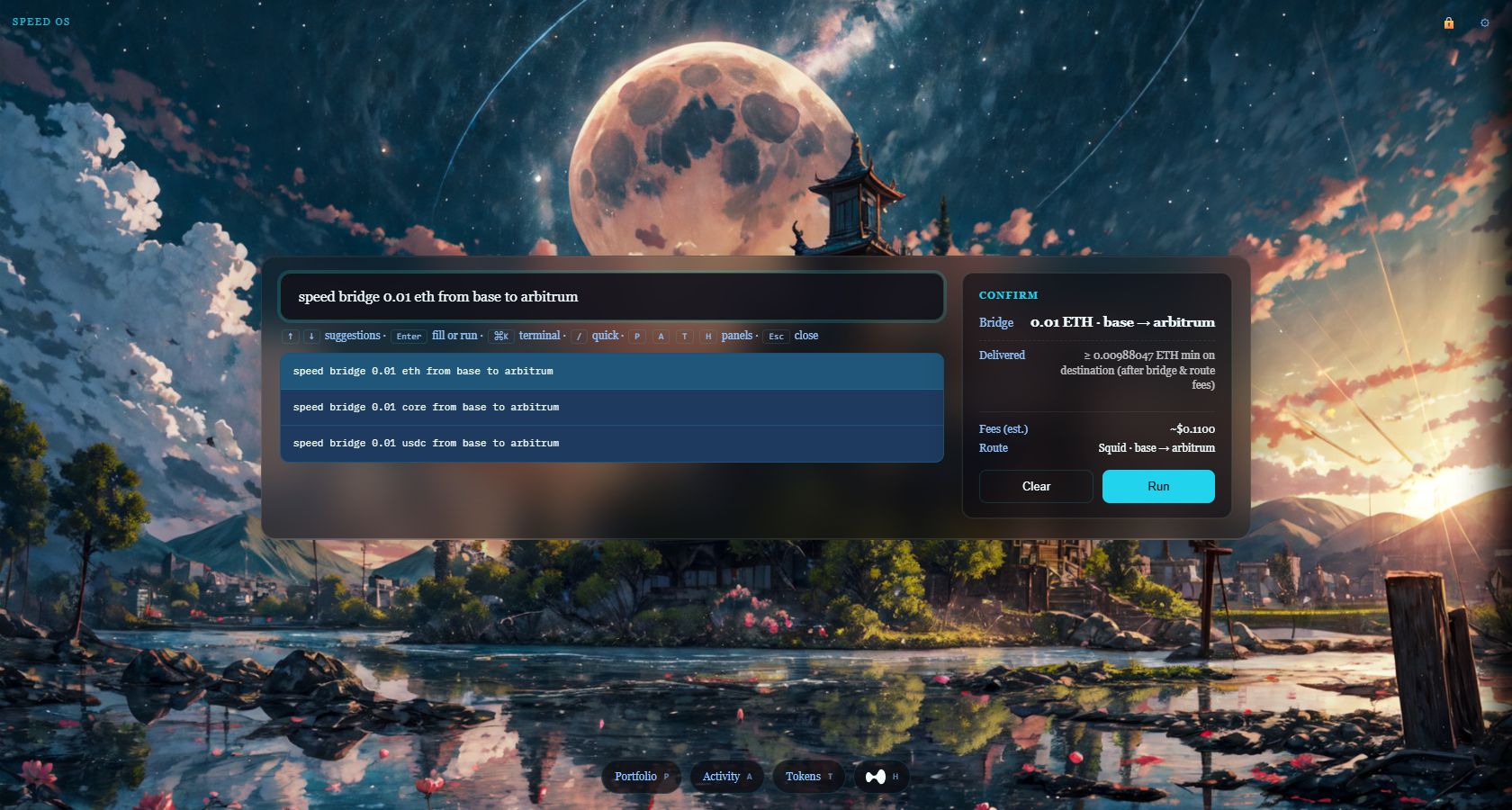
Choose a source chain, destination chain, token, and size (for example speed bridge 0.01 eth from base to arbitrum — the token must follow the amount). If you are new to bridging, use a small amount and a route with a clear estimated time. Write down the destination address you intend to receive on; cross-chain mistakes are expensive.
With a valid bridge line, the Confirm card on the right fills in the quote (route, gas, and bridge summary). When loading finishes, Run is enabled — that means the bridge action can run; use it only when the preview matches your intent.
Step 3 — Sign and monitor
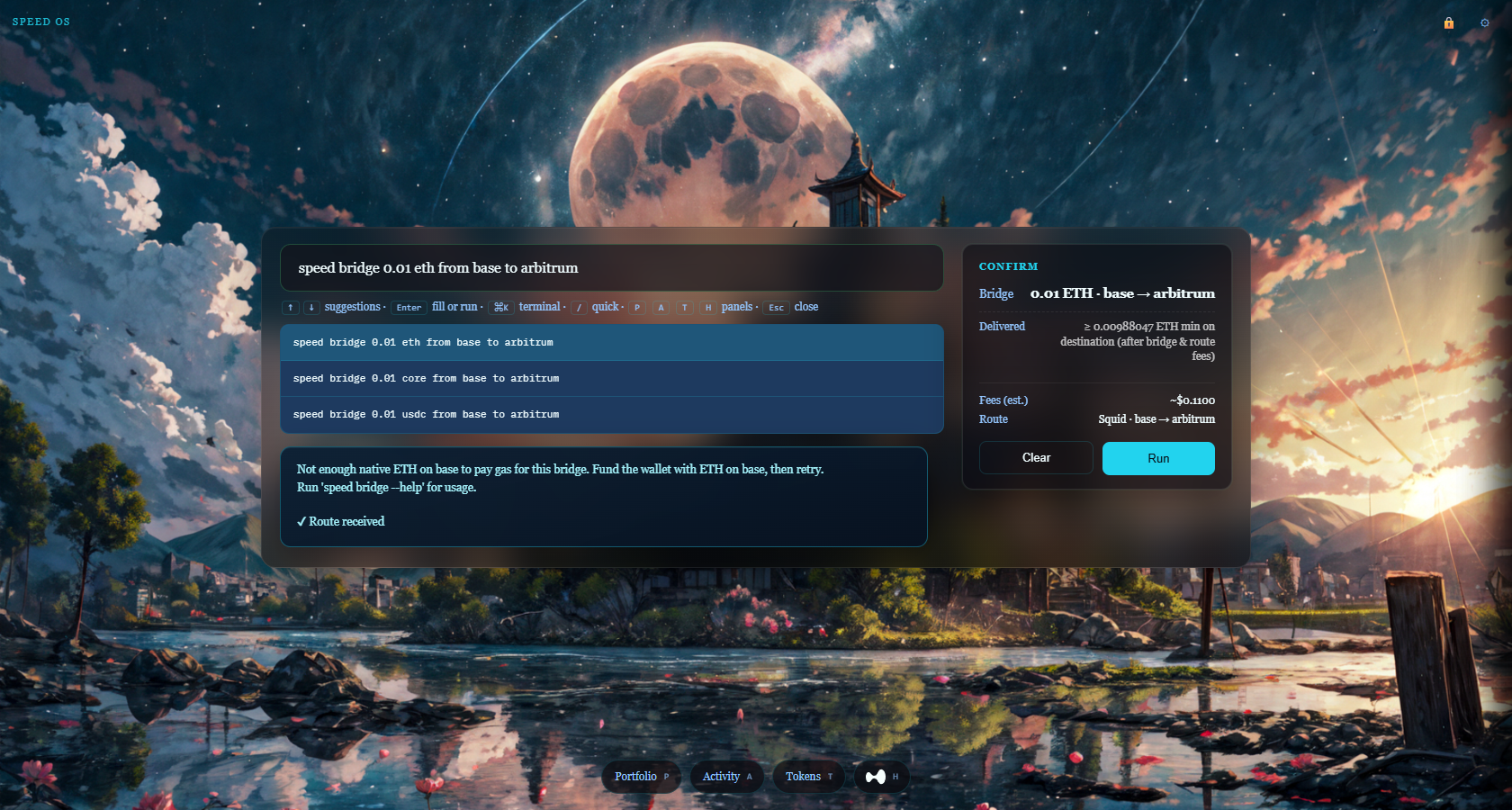
When the flow issues one or more transactions, unlock your vault for the session if required, then sign only after the preview matches your intent. After submission, follow the progress using the appropriate block explorers for each chain involved.
FAQ
Is bridging the same as swapping?
No. A swap can happen on a single chain; a bridge changes where the asset is considered live.
What if the bridge is slow?
Some routes are asynchronous. If the UI provides a status link, use it. If not, use explorers for the involved chains and do not assume finality until you verify.
Related
- Swap ETH to USDC in the browser — when you are not crossing chains.
- Speed OS vs classic browser wallets — how session shape changes repeated operations.